
How to Set Up a Fixed Bundle at the Top of the Collection?
The At top position shows your fixed bundle as a wide banner-style card at the top of the collection page, right above the product grid. Customers see the offer before they start browsing products.
The At top position shows your fixed bundle as a wide banner-style card at the top of the collection page, right above the product grid. Customers see the offer before they start browsing products.
This guide shows how to place a fixed bundle at the top of the collection page, above the product grid, using the Fix Blush Rose bundle and the Women's Elegant Tops collection as an example.
Step 1: Open your fixed bundle
In your Shopify admin, go to Apps > Sledge > Bundle, Discount & Upsell > Fix Bundles, then open the bundle you want to place (or create a new one).
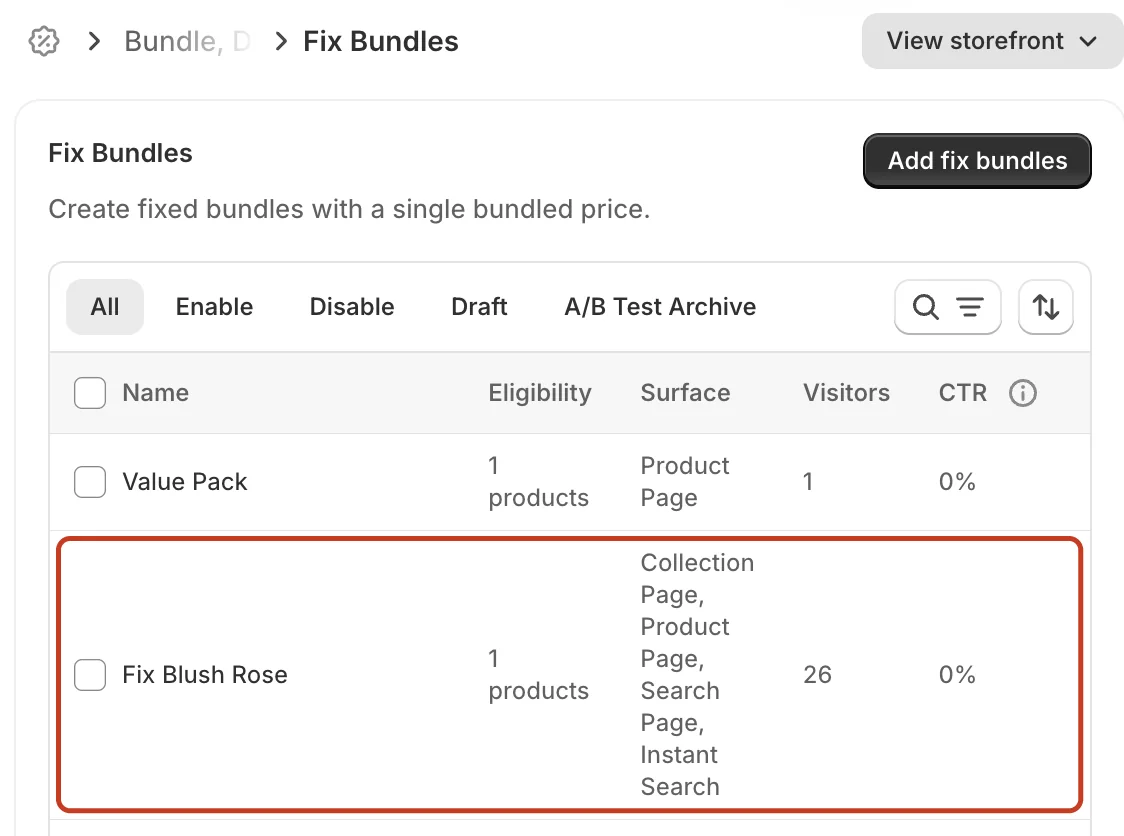
Step 2: Show the bundle on the Collection Page only
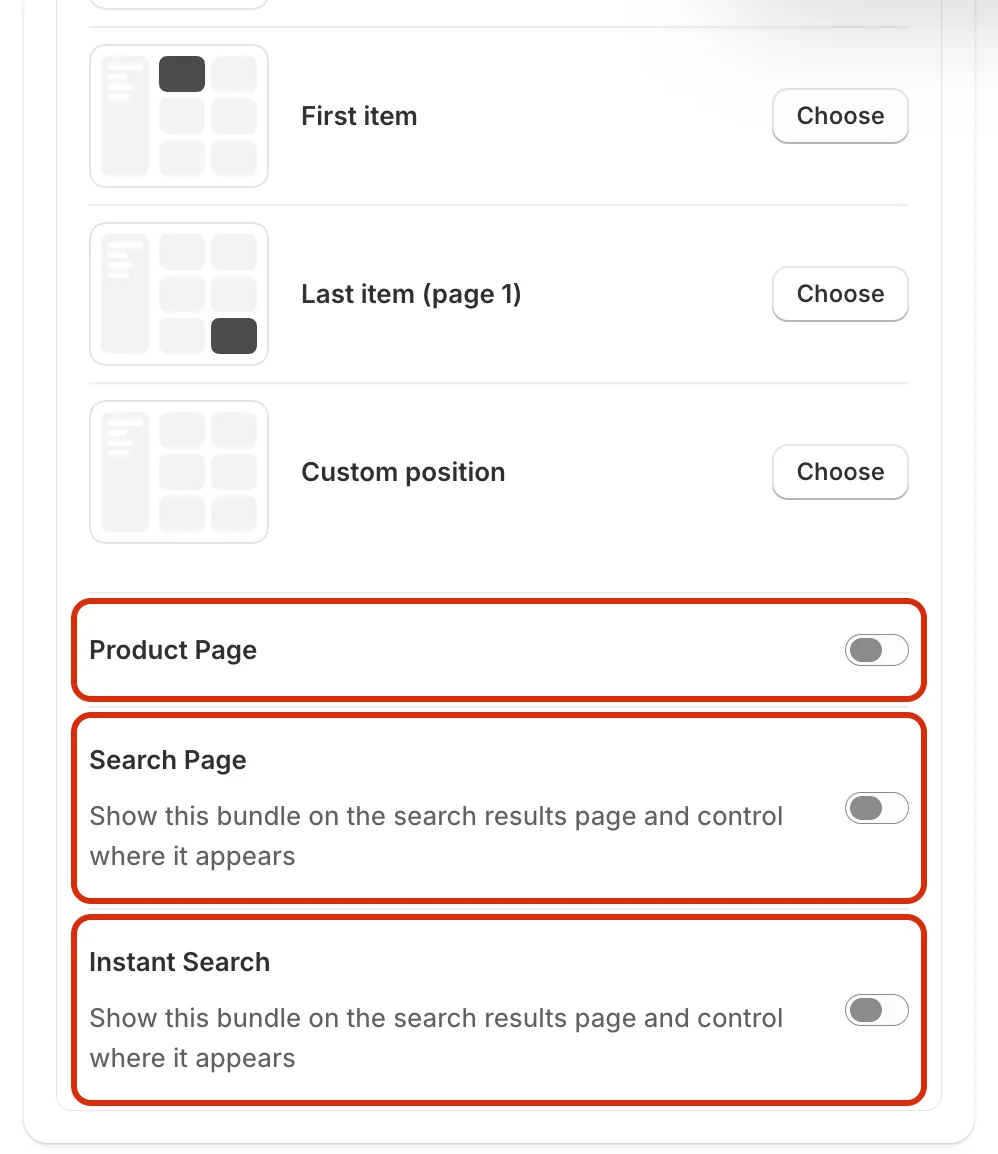
Under Surfaces, keep Collection Page turned on and set Collection targeting to Specific collections with the collection you want (here, Women's Elegant Tops). Then turn off Product Page, Search Page and Instant Search.
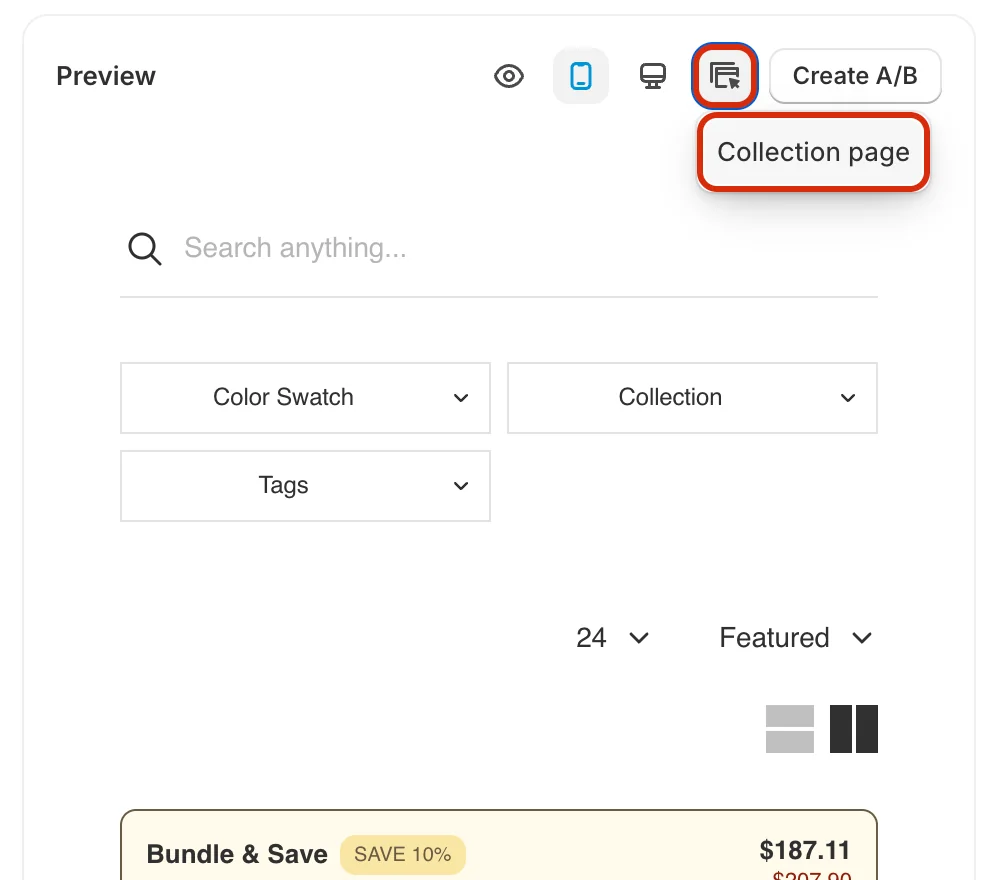
Step 3: Select the Collection page surface in the preview
Scroll down to the Preview section. Click the Select surface icon and choose Collection page. The page jumps to the Position options of the Collection Page surface.
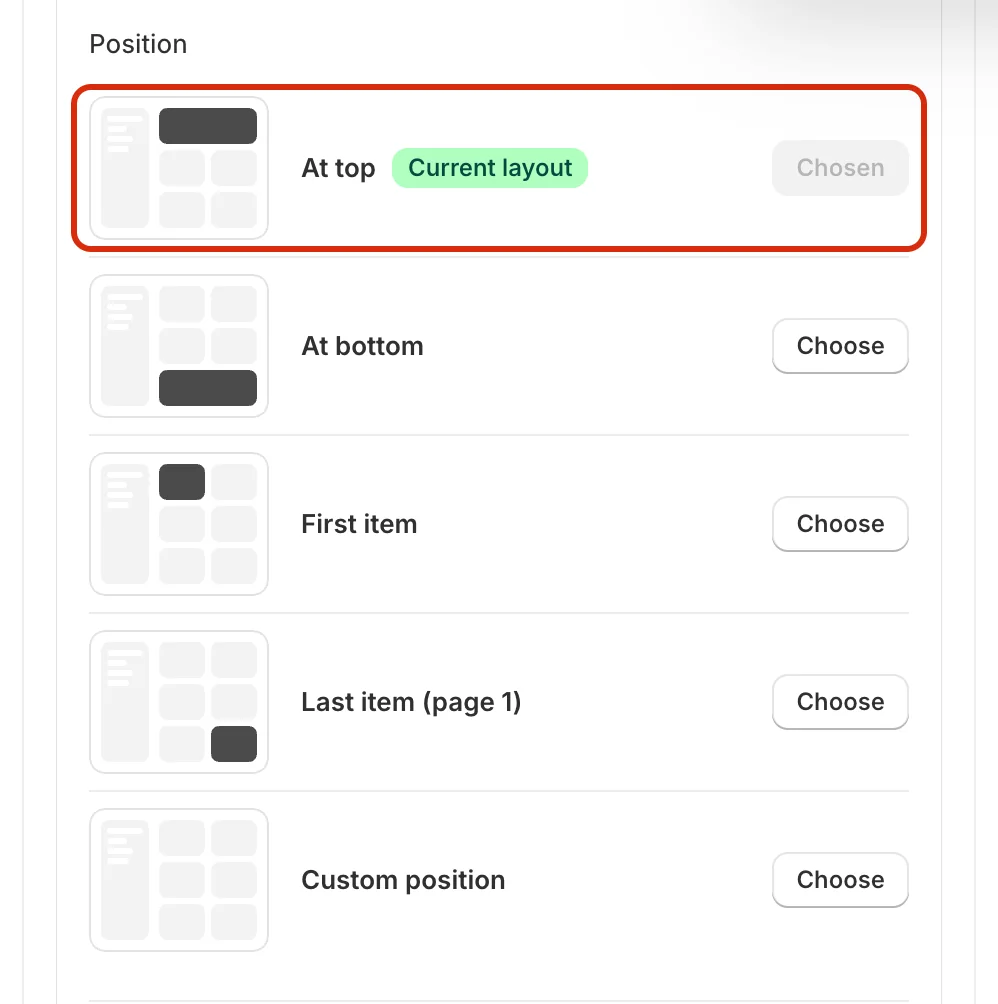
Step 4: Choose At top
Under Position, click Choose next to At top. The row is marked Current layout and the button changes to Chosen.
Step 5: Check the result in Desktop view
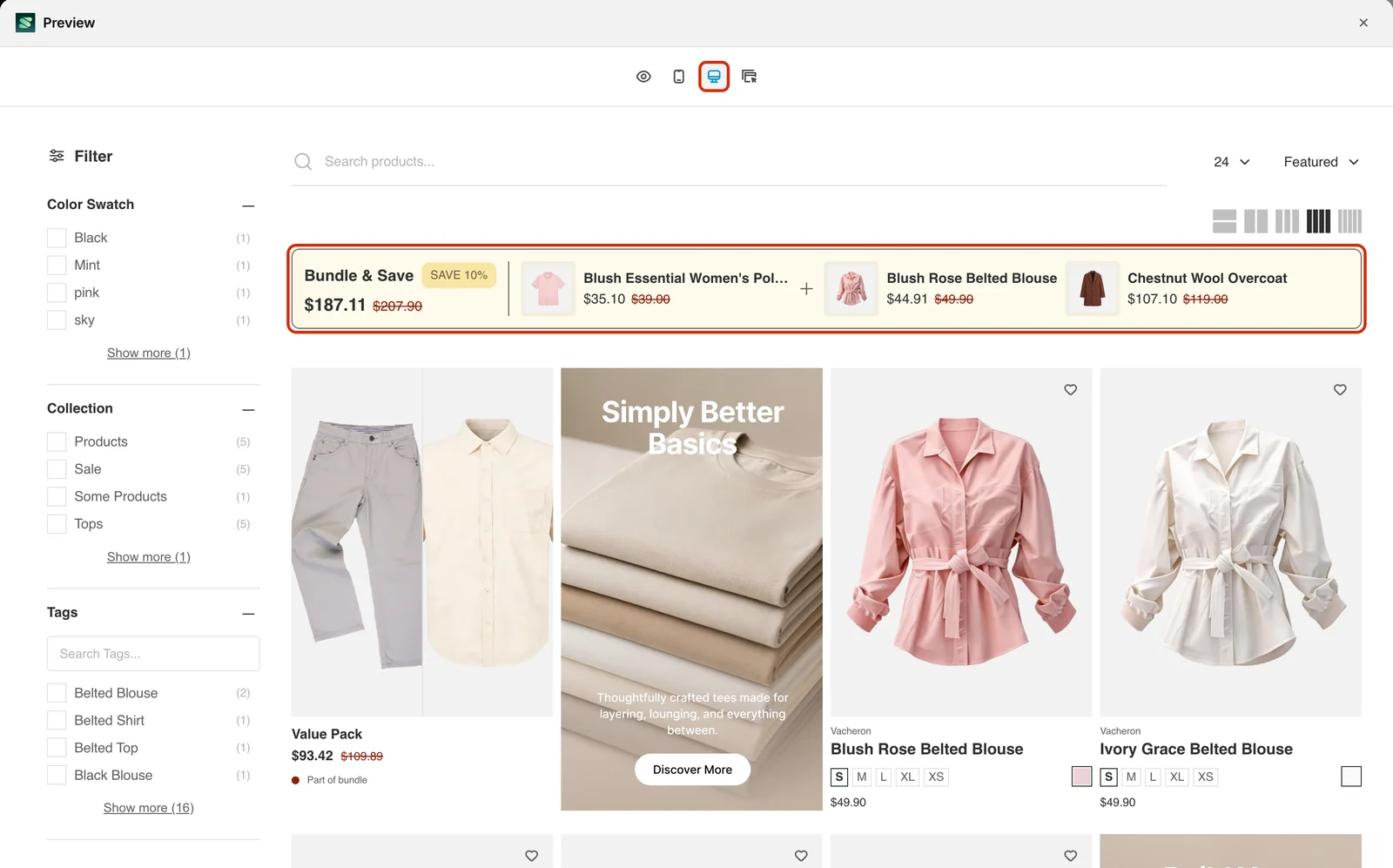
Go back to the Preview section and click the Desktop view icon. The preview opens in a larger window. The bundle appears as a horizontal Bundle & Save bar above the first row of products, showing the bundle price, the discount badge (for example SAVE 10%) and the products in the bundle.
Step 6: Save the bundle
When you are happy with the placement, click Save in the bar at the top of the page. Then open the collection on your storefront to check that the bundle appears in the position you chose.

Related
- How to Set Up a Fixed Bundle at the Bottom of the Collection?
- How to Set Up a Fixed Bundle as the First Item?
- How to Set Up a Fixed Bundle as the Last Item?
- How to Set Up a Fixed Bundle at the Top of the Search Page?
- How to Set Up a Fixed Bundle at the Top of the Instant Search Page?
- How to Create a Fix Bundle in Sledge?
Last updated on
How to Set Up a Fixed Bundle at the Bottom of the Search Page?
The At bottom position shows your fixed bundle as a wide banner-style card at the bottom of the search results page, after the last product on the page. Customers who scroll through the results see th
How to Set Up a Fixed Bundle at the Top of the Instant Search Page?
The At top position shows your fixed bundle as a wide banner-style card at the top of the instant search results, right under the Products heading. Customers see the offer as soon as they start typing